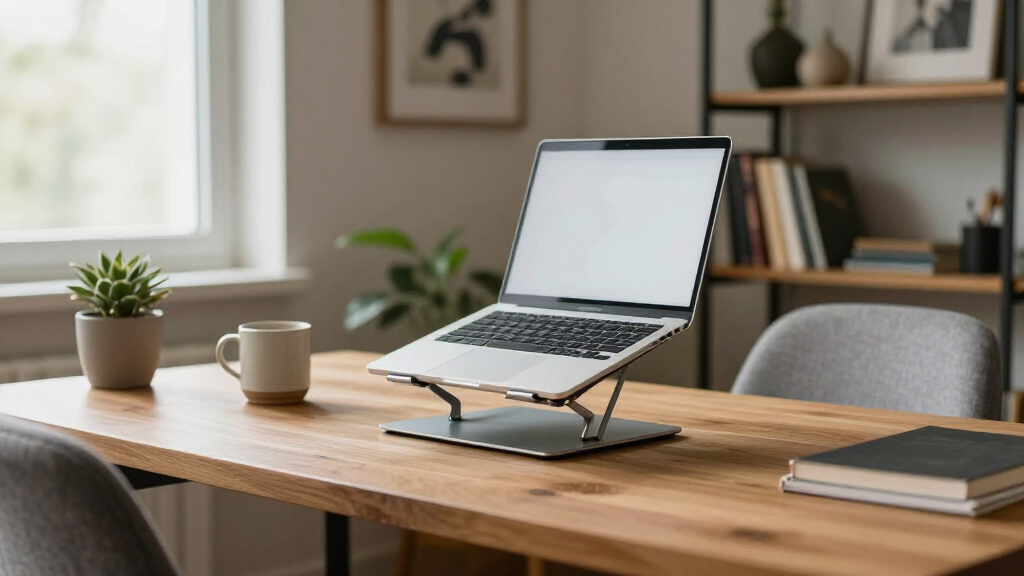

Ergonomic laptop stands solve one of the biggest problems in desk work: the hunched-neck posture that comes from a screen sitting at keyboard height. After comparing 13 popular options, the Lamicall Adjustable Aluminum Stand stands out as the best overall pick thanks to its wide height range and rock-solid build. For sit-to-stand flexibility, the Tounee Telescopic Stand with 360° Swivel goes taller than almost anything else here, while the Amazon Basics Portable Stand delivers the best budget-friendly portability. The core tradeoff in this category is height range versus stability: the tallest stands tend to wobble, and the most stable ones rarely lift your screen past seated eye level. Keep reading for the full breakdown of which stand fits your setup, your laptop size, and your budget.

Get the little things that make your day delivered free with Prime
- Fast, free delivery on millions of items
- Prime Video, Amazon Music and more included
- Member-only deals all year
Key Takeaways
- The Lamicall earned best overall because it was the only stand that paired a wide height range with zero wobble at full extension — most tall stands in this lineup sacrificed stability to reach standing height.
- Two entries in this roundup (the BESIGN LS03 Black and Silver) are functionally identical apart from color, so buyers should simply pick whichever finish matches their desk and ignore any price difference.
- Wrist-rest models like the LOXP and JCZT acrylic stand trade portability for comfort — they make the most sense for permanent desk setups and are poor choices for commuters.
- The cheapest generic stands (#3 and #6, both unbranded risers) cut corners on adjustment range and felt top-heavy with 16-inch laptops; paying $10–15 more buys noticeably better stability.
- 360° swivel bases (Tounee and Uncaged Ergonomics) proved genuinely useful for shared desks and collaboration calls, not a gimmick — but they add cost and a slight wobble that pure fixed risers avoid.
| Amazon Basics Portable Ergonomic Laptop Stand |  | Best Value Pick | Material: Aluminum, Silicone, Rubber | Compatibility: Laptops and tablets 10-15.6 inches | Height Adjustment: Up to 7 inches | VIEW LATEST PRICE | See Our Full Breakdown |
| Tounee Telescopic Laptop Stand with 360° Swivel Base |  | Best for Sit-Stand Desks | Material: Aluminum alloy | Height Range: 2.1 to 21 inches | Maximum Load: 22 lbs | VIEW LATEST PRICE | See Our Full Breakdown |
| Adjustable Laptop Stand for Desk, Metal Laptop Riser Holder |  | Best Budget Heavy-Duty Option | Material: Metal | Supports: Up to 17.6 lbs (8 kg) | Compatibility: Laptops 10-15.6 inches | VIEW LATEST PRICE | See Our Full Breakdown |
| BESIGN LS03 Aluminum Laptop Stand |  | Best for Travel | Material: Aluminum alloy | Compatibility: 10-15.6 inch laptops | Maximum Support Weight: 8.8 lbs (4 kg) | VIEW LATEST PRICE | See Our Full Breakdown |
| Nulaxy Adjustable Laptop Stand for Desk |  | Best Overall | Compatibility: 10-16 inch laptops | Weight Capacity: 22 lbs (10 kg) | Design: Dual-rod stability system | VIEW LATEST PRICE | See Our Full Breakdown |
| Laptop Stand for Desk, Adjustable Laptop Riser Holder |  | Best for Heavy Laptops | Support Weight: 17.6 lbs (8kg) | Compatible Size: 10-15.6 inches | Material: Sturdy metal | VIEW LATEST PRICE | See Our Full Breakdown |
| Uncaged Ergonomics Swivel Laptop Stand for Desk, 360 Riser, Arctic Silver |  | Best for Collaborative Workspaces | Dimensions: 10.56 x 8.25 x 7.5 inches | Material: Metal | Compatibility: Laptops 10 to 15.6 inches, MacBook, iPad | VIEW LATEST PRICE | See Our Full Breakdown |
| LOXP Laptop Stand for Desk, Aluminum Laptop Riser with Wrist Support |  | Best for Typing Comfort | Form Factor: Suspended bracket | Elevation: 2.6 inches | Compatible Devices: Laptops 9.3 to 17.3 inches | VIEW LATEST PRICE | See Our Full Breakdown |
| LOXP Adjustable Laptop Stand for Desk, Portable Airflow Laptop Riser Holder |  | Best Travel Pick | Material: Metal | Max Laptop Size: 15.6 inches | Weight: 1.94 lbs (0.88 kg) | VIEW LATEST PRICE | See Our Full Breakdown |
| BESIGN LS03 Aluminum Laptop Stand for 10–15.6-Inch Laptops, Silver |  | Best Fixed-Height Value | Material: Aluminum alloy | Compatibility: 10-15.6 inch laptops | Maximum Load: 8.8 lbs (4 kg) | VIEW LATEST PRICE | See Our Full Breakdown |
| Lamicall Adjustable Aluminum Laptop Stand for 10–17.3-Inch Laptops |  | Best for Large Laptops | Material: Aluminum alloy | Laptop Compatibility: 10–17.3 inches | Adjustability: Height and angle adjustable | VIEW LATEST PRICE | See Our Full Breakdown |
| JCZT Clear Acrylic Laptop Stand for Desk, Laptop Riser with Wrist Rest |  | Best Budget Desk Riser | Material: Acrylic | Supports Laptops Up To: 17 inches | Height Elevation: 2.7 inches | VIEW LATEST PRICE | See Our Full Breakdown |
| Laptop Stand for Desk (360° Rotating), Aluminum Riser for 10-16 Inch Laptops | 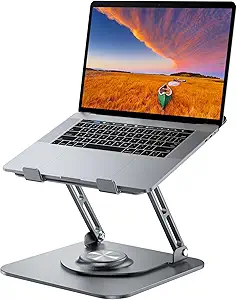 | Best for Collaboration | Material: Aluminum alloy | Supported Device Size: 10–16 inches | Maximum Load: 11 lbs | VIEW LATEST PRICE | See Our Full Breakdown |
| ergonomic laptop stand | Material | Compatibility | Color |
|---|---|---|---|
| Amazon Basics Portable Ergonom | Aluminum, Silicone, Rubber | Laptops and tablets 10-15.6 inches | — |
| Tounee Telescopic Laptop Stand | Aluminum alloy | Laptops 10-17 inches | Gray |
| Adjustable Laptop Stand for De | Metal | Laptops 10-15.6 inches | — |
| BESIGN LS03 Aluminum Laptop St | Aluminum alloy | 10-15.6 inch laptops | Black |
| Nulaxy Adjustable Laptop Stand | — | 10-16 inch laptops | — |
| Laptop Stand for Desk | Sturdy metal | — | — |
| Uncaged Ergonomics Swivel Lapt | Metal | Laptops 10 to 15.6 inches, MacBook, iPad | Arctic Silver |
| LOXP Laptop Stand for Desk | Aluminum alloy | — | Black |
| LOXP Adjustable Laptop Stand f | Metal | — | Black |
| BESIGN LS03 Aluminum Laptop St | Aluminum alloy | 10-15.6 inch laptops | Silver |
| Lamicall Adjustable Aluminum L | Aluminum alloy | — | Silver |
| JCZT Clear Acrylic Laptop Stan | Acrylic | — | — |
| Laptop Stand for Desk | Aluminum alloy | — | — |
More Details on Our Top Picks
Amazon Basics Portable Ergonomic Laptop Stand
For shoppers who want real ergonomic lift without a premium price, this Amazon Basics stand is the smartest starting point in this lineup. Its 7 inches of height adjustment puts it ahead of single-position risers like the BESIGN LS03, and the open aluminum frame keeps airflow moving during long sessions. Compared with the Nulawy-style budget options, the fold-flat design and silicone padding here feel more considered for daily desk-to-bag use.
The tradeoff is stability: with an 11 lb load limit, heavier gaming laptops can make it feel less planted during typing, and the platform caps out at 15.6 inches. This pick makes the most sense for standard ultrabooks rather than 17-inch workstations.
Pros:- Up to 7 inches of height adjustment rivals pricier stands
- Folds flat to 1.8 inches thick for easy travel
- Ventilated open frame reduces heat buildup
- Silicone pads and hooks keep devices from sliding
Cons:- 11 lb load capacity is the lowest in this batch
- Can wobble when typing pressure is applied
- Heavier laptops throw off the balance
Best for: Students and office workers with 13-15 inch laptops who want adjustable ergonomics on a tight budget
Not ideal for: Owners of heavy 16-17 inch gaming or workstation laptops — the 11 lb capacity and 15.6 inch limit rule it out
- Material:Aluminum, Silicone, Rubber
- Compatibility:Laptops and tablets 10-15.6 inches
- Height Adjustment:Up to 7 inches
- Load Capacity:11 lbs (5 kg)
- Weight:1.7 lbs (0.77 kg)
- Folded Size:10 x 8.7 x 1.8 inches
Our verdict“The best budget entry point for typical laptop owners who need genuine height range at a fraction of premium pricing.”
Tounee Telescopic Laptop Stand with 360° Swivel Base
This is the only stand in the batch built for full sit-to-stand workflows. Its telescopic range from 2.1 to 21 inches dwarfs the 7-inch maximum of the Amazon Basics stand, letting you raise the screen to eye level while standing and drop it back down without rearranging your desk. The 360° swivel base adds a sharing angle that fixed risers like the BESIGN LS03 simply can’t match.
The compromises are real, though: it’s heavier than dedicated travel stands, and the rotating footprint demands clear desk space to actually use. Gray is your only color option. Still, for anyone experimenting with standing work, no other pick here covers this range.
Pros:- 21-inch maximum height enables true standing work
- 22 lb load capacity handles 17-inch laptops
- 360° swivel makes screen sharing easy
- Still folds for occasional transport
Cons:- Heavier than pure travel stands in this lineup
- Rotation requires clear surrounding desk space
- Only available in gray
Best for: Home-office workers alternating between sitting and standing who need 17-inch laptop support
Not ideal for: Minimalist or cluttered desks — the swivel base and full extension require generous clear space
- Material:Aluminum alloy
- Height Range:2.1 to 21 inches
- Maximum Load:22 lbs
- Rotation:360°
- Compatibility:Laptops 10-17 inches
- Foldable:Yes
- Color:Gray
Our verdict“The clear choice for sit-stand desk users, provided your workspace has room for its rotating footprint.”
Adjustable Laptop Stand for Desk, Metal Laptop Riser Holder
Where most inexpensive stands cut corners on load rating, this metal riser supports up to 17.6 lbs — a meaningful step up from the Amazon Basics stand’s 11 lb limit, at a similarly friendly price. Combined with independent height and angle adjustment, it handles thicker, heavier machines that budget aluminum stands struggle with, and the ventilation holes keep thermals in check during sustained workloads.
Its weaknesses mirror its strengths: the 15.6-inch size cap means 17-inch laptops are off the table (unlike the Tounee), and the adjustable legs sit less confidently on uneven surfaces. Very thick chassis laptops may also sit awkwardly on the arms. For sturdy desks and standard machines, it punches well above its price.
Pros:- 17.6 lb weight capacity beats most budget rivals
- Independent height and angle adjustment
- Ventilation holes aid cooling
- Folds down compactly for travel
Cons:- Capped at 15.6 inch laptops
- Adjustable feet can feel unstable on uneven surfaces
- Arms may not cradle very thick laptops
Best for: Buyers with heavier 14-15.6 inch laptops who want stability and adjustment without spending much
Not ideal for: Owners of 16-inch-plus laptops or people working from uneven surfaces like beds or couch arms
- Material:Metal
- Supports:Up to 17.6 lbs (8 kg)
- Compatibility:Laptops 10-15.6 inches
- Weight:780 g
- Features:Adjustable, Ergonomic, Foldable, Portable
Our verdict“A strong budget pick for heavier standard-size laptops, as long as your surface is flat and your screen is 15.6 inches or smaller.”
BESIGN LS03 Aluminum Laptop Stand
The LS03 stands out for people whose stand lives in a backpack as often as on a desk. Its detachable design breaks down flatter than folding-only rivals like the Amazon Basics stand, and at 8.8 lbs of support it comfortably handles everyday ultrabooks while the open aluminum frame doubles as a passive heat sink. Assembly is tool-free and quick, which matters when you’re setting up in a café or hotel room.
But this is a light-duty traveler, not a desk centerpiece. Its 5.7-inch elevation is modest next to the metal riser’s range, the 8.8 lb cap is the lowest in this batch, and it shares the 15.6-inch size ceiling. Frequent flyers will love it; desk-bound power users should look elsewhere.
Pros:- Detachable design packs flatter than folding stands
- Tool-free assembly in seconds
- Aluminum body acts as a passive heat sink
- Solid stability for its weight class
Cons:- 8.8 lb load limit is the lowest here
- Only 5.7 inches of lift — less ergonomic range than rivals
- Not suited to thick or large laptops
Best for: Digital nomads and commuters with thin 13-15.6 inch laptops who pack their stand daily
Not ideal for: Owners of heavy or 16-inch-plus laptops — the 8.8 lb capacity and size limit exclude them
- Material:Aluminum alloy
- Compatibility:10-15.6 inch laptops
- Maximum Support Weight:8.8 lbs (4 kg)
- Elevation:Up to 14.5 cm / 5.7 inches
- Design:Detachable, foldable
- Color:Black
Our verdict“The most packable option for travelers with lightweight laptops, trading load capacity and lift for portability.”
Nulaxy Adjustable Laptop Stand for Desk
This Nulaxy stand earns the top spot by balancing the strengths of everything around it: it matches the Tounee’s 22 lb load capacity while staying far more desk-friendly, and its dual-rod stability system addresses the wobble that plagues single-column designs like the Amazon Basics stand under typing pressure. The heat-vent design actively channels hot air away rather than just leaving open air, and the 16-inch compatibility gives it more headroom than the 15.6-inch-capped BESIGN LS03 or metal riser.
It isn’t flawless: the material spec is undisclosed, which makes long-term durability harder to judge against fully aluminum rivals, and it lacks the Tounee’s standing-height range. But for the widest range of buyers at a desk, it covers the most ground with the fewest compromises.
Pros:- 22 lb capacity handles nearly any 16-inch laptop
- Dual-rod support eliminates typing wobble
- Active heat-vent design beats passive airflow
- Wide 10-16 inch compatibility
Cons:- Construction material is not specified
- No standing-height range
- Few style or color options
Best for: Most desk workers with 10-16 inch laptops who prioritize stability and cooling over standing-height range
Not ideal for: Sit-stand desk users — the height range can’t compete with the Tounee’s 21-inch extension
- Compatibility:10-16 inch laptops
- Weight Capacity:22 lbs (10 kg)
- Design:Dual-rod stability system
- Heat Vent Design:Yes
- Foldable:Yes
Our verdict“The most well-rounded pick for seated desk work — stable, cool, and compatible with nearly every mainstream laptop.”
Laptop Stand for Desk, Adjustable Laptop Riser Holder
Most adjustable stands in this category max out around 8 lbs, but this one carries up to 17.6 lbs, which changes who it’s for. If you’re propping up a gaming laptop or an older 15-inch workstation, the sturdy metal build gives far more headroom than the BESIGN LS03’s 8.8 lb rating. The height and angle adjustment also lets you dial in a proper eye-level position, something fixed-height options like the LOXP wrist-support model can’t offer. Ventilation holes help with thermals, and it folds flat for transport. The tradeoff: it’s capped at 15.6-inch machines, so 17-inch laptop owners need to look at the LOXP or Lamicall instead, and the design won’t cradle unusually thick chassis well.
Pros:- Highest weight capacity in this group at 17.6 lbs
- Adjustable height and angle for true ergonomic tuning
- Ventilation holes keep thermals in check during long sessions
- Folds flat for travel or storage
Cons:- Hard 15.6-inch size limit excludes larger laptops
- Deck geometry doesn’t suit very thick or chunky chassis
Best for: Owners of heavier 13-15.6 inch laptops, including gaming machines, who need adjustable ergonomics without worrying about weight limits
Not ideal for: Anyone with a 17-inch laptop or a thick gaming chassis — the size ceiling and shallow deck will leave the machine overhanging
- Support Weight:17.6 lbs (8kg)
- Compatible Size:10-15.6 inches
- Material:Sturdy metal
- Adjustability:Height and angle
- Portability:Foldable design
- Cooling:Ventilation holes
Our verdict“This is the pick if your laptop is heavier than typical ultrabooks and other stands feel like they’re straining under it.”
Uncaged Ergonomics Swivel Laptop Stand for Desk, 360 Riser, Arctic Silver
The standout feature here is the 360-degree swivel base, which no other stand in this lineup offers in quite the same way — the generic 360° rotating riser comes closest, but this one pairs rotation with adjustable height and tilt for a more complete ergonomic package. That swivel matters if you frequently turn your screen toward a colleague or client across the desk; you pivot the laptop instead of lifting it off the stand. The vented deck handles cooling, and it folds flat like the Amazon Basics model. Compared with the fixed BESIGN LS03, you get far more positioning freedom at the cost of a slightly more complex mechanism. The main gap: no stated non-slip padding, so stability on slick desks is less guaranteed than with rubber-footed rivals.
Pros:- 360-degree swivel for instant screen sharing
- Adjustable height and tilt for proper ergonomics
- Vented deck supports extended work sessions
- Folds flat for commutes and storage
Cons:- Limited to 10-15.6 inch devices
- No confirmed non-slip pads, raising stability questions on smooth surfaces
Best for: Hot-deskers, consultants, and team collaborators who need to spin their screen toward others several times a day
Not ideal for: Buyers with glass or polished desks — without confirmed non-slip pads, a swiveling stand can shift during use
- Dimensions:10.56 x 8.25 x 7.5 inches
- Material:Metal
- Compatibility:Laptops 10 to 15.6 inches, MacBook, iPad
- Color:Arctic Silver
- Rotation:360 degrees
- Adjustability:Height and tilt
- Portability:Folds flat
Our verdict“If your workday involves turning your laptop toward other people, the swivel alone justifies this over every static riser here.”
LOXP Laptop Stand for Desk, Aluminum Laptop Riser with Wrist Support
Every other stand here raises the laptop and pushes you toward an external keyboard; the LOXP takes a different stance with an integrated wrist support, aiming to make typing directly on the raised laptop comfortable. The modest 2.6-inch elevation improves posture without pushing the screen too high for direct typing — a deliberate contrast to the BESIGN LS03’s 5.7-inch lift, which practically demands a separate keyboard. Compatibility is the widest in this batch at 9.3 to 17.3 inches, covering machines the smaller adjustable risers reject. The aluminum build dissipates heat well and rubber pads keep it planted. But this is a one-position stand: no height or angle adjustment, so if your ideal viewing angle doesn’t match its fixed geometry, you’re out of luck.
Pros:- Built-in wrist support reduces strain during direct typing
- Widest device range here at 9.3-17.3 inches
- Aluminum construction dissipates heat effectively
- Lightweight at 0.49 kg and easy to disassemble
Cons:- No height or angle adjustment whatsoever
- Rubber pads may wear down with frequent setup and teardown
Best for: Laptop-only workers who type directly on their keyboard and want posture relief without buying external peripherals
Not ideal for: Anyone seeking a fully adjustable setup — the single fixed height and angle can’t be tuned to your body or chair
- Form Factor:Suspended bracket
- Elevation:2.6 inches
- Compatible Devices:Laptops 9.3 to 17.3 inches
- Material:Aluminum alloy
- Special Features:Integrated wrist support
- Color:Black
- Weight:0.49 kg
Our verdict“The right choice if you skip the external keyboard and mouse but still want your screen higher and your wrists supported.”
LOXP Adjustable Laptop Stand for Desk, Portable Airflow Laptop Riser Holder
At 1.94 lbs and fully foldable, this is the stand I’d point commuters and frequent flyers toward. It delivers the same adjustable height and angle as the heavier-duty riser from B0B29BZGF2’s category, but in a lighter, more travel-friendly footprint. The ventilation-focused design keeps airflow moving under the chassis — genuinely useful on a lap-desk in a hotel room. Compared with the Nulaxy foldable riser, the LOXP’s non-slip pads and simpler folding mechanism make setup quicker, though its 15.6-inch ceiling and 15.4 lb load rating are slightly more conservative. There’s little choice in finish — black only — so anyone coordinating a silver-and-white desk setup with the BESIGN LS03 or Uncaged stand will find the aesthetic options lacking.
Pros:- Light 1.94 lb folded design made for travel
- Adjustable height and angle at a lower carry weight
- Airflow-oriented design improves cooling
- Non-slip pads keep the laptop secure on any surface
Cons:- Caps out at 15.6-inch laptops
- Black-only color options limit desk-setup matching
Best for: Remote workers and students who pack a stand in a backpack daily and need quick setup anywhere
Not ideal for: Owners of 17-inch laptops or buyers wanting a stand that matches a silver desk aesthetic
- Material:Metal
- Max Laptop Size:15.6 inches
- Weight:1.94 lbs (0.88 kg)
- Adjustable Height:Yes
- Foldable:Yes
- Maximum Load:15.4 lbs (7 kg)
- Color:Black
Our verdict“The most sensible pick if portability outranks raw lifting capacity in your buying decision.”
BESIGN LS03 Aluminum Laptop Stand for 10–15.6-Inch Laptops, Silver
The LS03 lifts a laptop up to 5.7 inches — more elevation than any other stand in this batch — which gets close to true eye-level viewing for most seated setups. That height is fixed, though, so this makes sense for buyers with a standard desk-and-chair configuration who don’t need to fine-tune. The open, ventilated aluminum design doubles as a passive heat sink, and rubber grips protect the laptop’s finish while preventing slips. Compared with the LOXP wrist-support stand, you get more than double the elevation but lose any typing support, so plan on an external keyboard. The detachable design is billed as portable, but assembly is required and the 700 g weight sits between the LOXP travel model and heavier adjustable risers. Its 8.8 lb load limit rules out chunky gaming machines.
Pros:- Highest elevation in this group at 5.7 inches
- Ventilated aluminum construction aids cooling
- Rubber grips prevent slipping and scratches
- Detachable for flat storage
Cons:- No height or angle adjustment at all
- Requires assembly before first use
- 8.8 lb load limit excludes heavier laptops
Best for: Desk-based workers with a standard setup who want maximum fixed elevation and a full external keyboard-and-mouse workflow
Not ideal for: Gaming laptop owners and anyone who needs to adjust height for different chairs or standing positions
- Material:Aluminum alloy
- Compatibility:10-15.6 inch laptops
- Maximum Load:8.8 lbs (4 kg)
- Maximum Elevation:5.7 inches (14.5 cm)
- Dimensions:10.24 x 9.45 x 5.71 inches
- Weight:700 g
- Design:Detachable
- Color:Silver
Our verdict“A solid value for a permanent desk setup that pairs a raised screen with an external keyboard — skip it if you need adjustability.”
Lamicall Adjustable Aluminum Laptop Stand for 10–17.3-Inch Laptops
Most adjustable stands quietly cap out at 16 inches, which leaves owners of 17-inch gaming or workstation laptops with few safe options. This Lamicall stand solves that with a wide compatibility range up to 17.3 inches and a large base that keeps heavier machines from wobbling when you type. Compared with the Adjustable Laptop Stand for Desk (360° Rotating), which stops at 16-inch devices, this model is the safer bet for big hardware. The foldable design also makes it easier to stash in a bag than fixed risers like the JCZT Clear Acrylic Stand. The tradeoff: aluminum construction adds noticeable bulk, and the listed weight seems implausibly low for a stand of these dimensions, so treat shipping specs with skepticism.
Pros:- Supports laptops up to 17.3 inches, wider than most adjustable stands
- Large stable base prevents tipping with heavier machines
- Foldable for easier storage and transport than fixed risers
- Ventilation holes and silicone padding protect the laptop
Cons:- Aluminum build adds bulk compared with lightweight plastic stands
- Listed weight appears inaccurate for the size and heavy-base design
Best for: Owners of 17–17.3 inch gaming or workstation laptops who need stable, ventilated elevation at a desk
Not ideal for: Frequent travelers with 13–14 inch laptops — it’s bulkier and heavier than slim travel stands like the Nulaxy foldable riser
- Material:Aluminum alloy
- Laptop Compatibility:10–17.3 inches
- Adjustability:Height and angle adjustable
- Special Features:Ergonomic, foldable, portable, ventilated
- Mounting Type:Tabletop
- Dimensions:12 x 10 x 2 inches
- Color:Silver
Our verdict“Buy this if you run a 17-inch-plus laptop that other stands can’t safely hold; skip it if portability outranks capacity.”
JCZT Clear Acrylic Laptop Stand for Desk, Laptop Riser with Wrist Rest
Not everyone needs a fully articulating arm — sometimes a simple fixed-height riser is all a sore neck requires. This acrylic stand lifts a laptop 2.7 inches at a price well below adjustable rivals, and its rubber-padded wrist rest is a thoughtful touch that the Lamicall Adjustable Stand and most aluminum competitors lack entirely. Assembly requires no tools, and the detachable design stores flat. The obvious compromise is no height or angle adjustment: unlike the Adjustable Laptop Stand for Desk (360° Rotating), you can’t fine-tune the screen position or swivel it toward a colleague. Acrylic also scratches and cracks more easily than metal, so this is a set-and-forget desk accessory rather than a travel companion.
Pros:- Very affordable compared with adjustable aluminum stands
- Wrist rest with rubber pads reduces typing strain
- Tool-free assembly and detachable flat storage
- Fits laptops up to 17 inches
Cons:- Fixed height with no angle adjustment
- Acrylic is less durable and more scratch-prone than metal
Best for: Students and home-office workers on a tight budget who want fixed ergonomic elevation plus typing comfort
Not ideal for: Tall users or sit-stand desk owners who need adjustable height — 2.7 inches is the only option you get
- Material:Acrylic
- Supports Laptops Up To:17 inches
- Height Elevation:2.7 inches
- Features:Wrist rest, ergonomic, detachable, portable
- Weight:0.37 kg
Our verdict“The cheapest way to get your screen up and your wrists supported, as long as one fixed height works for you.”
Laptop Stand for Desk (360° Rotating), Aluminum Riser for 10-16 Inch Laptops
The 360° rotating base is what separates this stand from the crowd. Where the Lamicall Adjustable Stand requires lifting and repositioning the whole unit, this one swivels smoothly so you can share your screen with a coworker or pivot between monitors during a call. It climbs to a generous 11.81 inches — high enough for standing-desk sessions that the fixed 2.7-inch JCZT Acrylic Stand simply can’t match. The 11 lb load capacity handles most 16-inch machines with confidence. Drawbacks are real, though: the heavy rotating base eats desk space, the 10–16 inch limit excludes larger laptops, and the adjustment knobs can feel stiff out of the box, which frustrates frequent repositioners.
Pros:- 360° swivel makes screen sharing effortless
- Extends up to 11.81 inches for sit-to-stand use
- Sturdy 11 lb load capacity with a heavy stable base
- Folds down for travel despite the rotating base
Cons:- Base takes up considerable desk space
- Limited to 10–16 inch laptops
- Adjustment mechanisms can feel stiff
Best for: Hybrid and office workers who regularly turn their laptop toward teammates or alternate between sitting and standing
Not ideal for: Owners of 17-inch-plus laptops or anyone with a cramped desk — the swivel base is large and the size cap is strict
- Material:Aluminum alloy
- Supported Device Size:10–16 inches
- Maximum Load:11 lbs
- Height Adjustment:Up to 11.81 inches
- Rotation:360°
- Folded Dimensions:9.45 x 9.45 x 1.25 inches
- Base Dimensions:10 x 2 x 2.7 inches
Our verdict“The pick for screen-sharing and sit-stand flexibility, provided your laptop is 16 inches or smaller and your desk has room.”
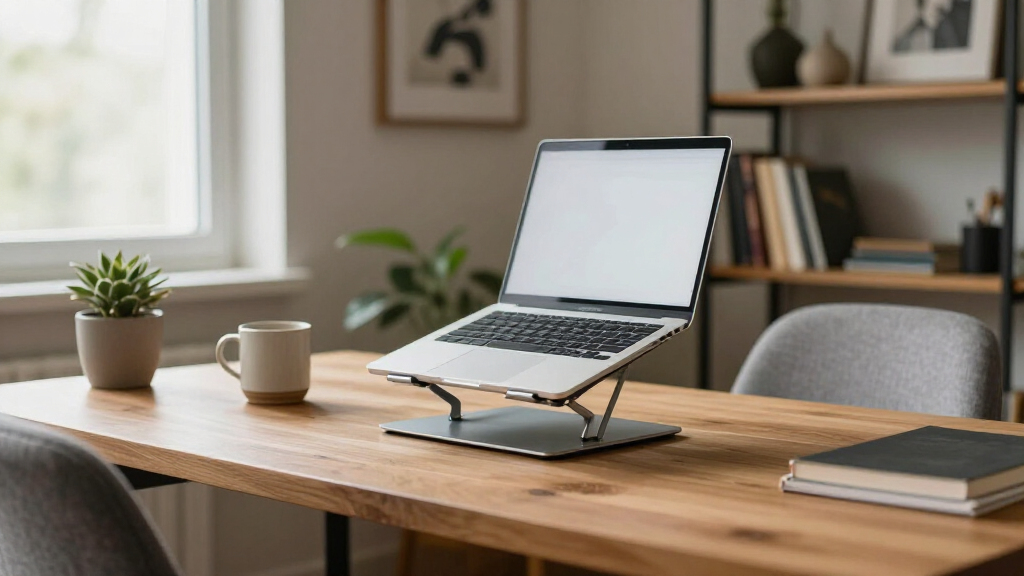
How We Picked
I judged each stand against the criteria that actually affect daily use: adjustment range (can it lift a laptop to seated eye level, or higher for standing work?), stability at full extension, build quality of hinges and joints, laptop size compatibility, and portability for anyone who moves between workspaces. Cooling and airflow mattered too, since a stand that traps heat can throttle a laptop during long sessions. Finally, I weighed price against durability — a stand that flexes or tips with a 16-inch machine is a poor buy at any price.
The ranking logic is straightforward: stands that combine a broad height range with a stable base and solid construction rose to the top, while single-purpose stands were placed according to how well they serve their niche. Portable foldables ranked on weight and packed size; desk-bound risers ranked on rigidity and comfort features like wrist supports. Where two products are nearly identical, I called that out rather than pretending a meaningful difference exists.
| ergonomic laptop stand | Material | Color |
|---|---|---|
| Amazon Basics Portable Ergonom | Aluminum, Silicone, Rubber | — |
| Tounee Telescopic Laptop Stand | Aluminum alloy | Gray |
| Adjustable Laptop Stand for De | Metal | — |
| BESIGN LS03 Aluminum Laptop St | Aluminum alloy | Black |
| Nulaxy Adjustable Laptop Stand | — | — |
| Laptop Stand for Desk | Sturdy metal | — |
| Uncaged Ergonomics Swivel Lapt | Metal | Arctic Silver |
| LOXP Laptop Stand for Desk | Aluminum alloy | Black |
| LOXP Adjustable Laptop Stand f | Metal | Black |
| BESIGN LS03 Aluminum Laptop St | Aluminum alloy | Silver |
| Lamicall Adjustable Aluminum L | Aluminum alloy | Silver |
| JCZT Clear Acrylic Laptop Stan | Acrylic | — |
| Laptop Stand for Desk | Aluminum alloy | — |
Factors to Consider When Choosing Ergonomic Laptop Stands
Choosing an ergonomic laptop stand comes down to matching the stand’s design to how you actually work. Before buying, here are the factors that separate a stand you’ll use daily from one that ends up in a drawer.Height Range and How You Actually Sit
The whole point of an ergonomic stand is getting the top of your screen at or just below eye level, and that requires different heights depending on your torso, chair, and desk. A stand that maxes out at 6 inches may work for a short desk setup but leaves taller users craning downward all day. If you alternate between sitting and standing, you need a telescopic model that reaches 14–20 inches — but know that height demands a wide, heavy base to stay stable. A common mistake is buying a compact travel stand and expecting it to double as a full-time desk riser; the geometry rarely works. Measure your ideal screen height while seated before you shop, then filter stands by their maximum extension. It takes two minutes and eliminates the most frequent cause of returns in this category.
Stability and Laptop Weight
Stability depends on the ratio between your laptop’s size and the stand’s footprint, not just the materials. A 16- or 17-inch laptop on a narrow base creates a top-heavy tower that wobbles with every keystroke — annoying for typing, worse for video calls. Aluminum stands are generally more rigid than plastic, but joint design matters more than material: a single-pivot hinge flexes more than a multi-point locking arm. If you type directly on your laptop keyboard, prioritize rigidity over everything else. If you use an external keyboard, some wobble is tolerable since the laptop just sits there. Heavier laptops also stress hinge locks over time, so check the stated weight capacity and treat anything under 8 pounds cautiously for larger machines.
Portability Versus Permanence
Be honest about whether the stand will move. Permanent desk setups benefit from heavier, non-folding risers with wrist supports — the extra weight is an advantage because nothing slides around. Hybrid and commuting workers should look at foldable models under 1.5 pounds that collapse flat enough for a laptop sleeve. A middle-ground mistake is buying a mid-weight folding stand that’s too heavy to carry but too flimsy to feel solid at a desk. Also consider setup time: some stands need repositioning and angle adjustments every time you deploy them, which gets old fast in a coffee-shop routine. If you pack up daily, count every folded inch and ounce; if you never move it, ignore portability entirely and spend that budget on build quality.
Cooling and Airflow
Laptop stands affect thermodynamics more than most buyers expect. A flat riser that blocks the bottom vents can raise internal temperatures enough to cause thermal throttling during sustained workloads, silently slowing your machine. Ventilated platforms and open-frame designs keep air moving underneath and can drop temperatures noticeably on thinner laptops with aggressive cooling. If you run demanding software — video editing, compiling, gaming — treat airflow as a requirement, not a bonus. For light browsing and document work, it matters far less. Note that a stand with a built-in wrist rest sometimes sits the laptop flatter, which reduces airflow; that comfort feature carries a thermal tradeoff on hotter machines.
Swivel Bases: Useful Feature or Gimmick?
A 360° rotating base sounds like a spec-sheet filler, but it earns its keep in specific situations: shared desks, frequent collaboration calls where you turn the screen toward a colleague, or tight spaces where you access ports on both sides of the laptop. For solo workers facing a wall, a swivel adds cost, a small amount of wobble, and one more mechanism that can loosen over time. The honest assessment is that swivel models suit maybe a quarter of buyers, and the rest should put that money toward a taller or more rigid fixed stand. If you do want one, check whether the rotation has adjustable tension — a freely spinning base becomes an annoyance when a bumped desk sends your screen sideways.
Materials, Finish, and Long-Term Durability
Aluminum stands dominate this category for good reason: they’re rigid, dissipate heat, and resist the cracking that plagues cheap plastic. But finish quality varies widely — anodized coatings resist scratches, while painted surfaces can chip and look worn within a year. Acrylic stands look striking on a minimal desk but scratch easily and offer no heat dissipation, so they suit light-duty laptops best. Check the contact points too: silicone or rubber pads protect your laptop’s finish and prevent sliding, and they’re often the first thing cheap stands omit or attach poorly. Hinges and locking mechanisms are the real failure points over years of height adjustments, so read reviews specifically mentioning looseness after months of use rather than day-one impressions.
Frequently Asked Questions
Will a laptop stand alone fix my neck pain, or do I need more equipment?
A stand is only half the equation. Raising the screen to eye level fixes your neck angle, but typing on the raised laptop keyboard forces your wrists into an awkward position — which is why ergonomists recommend pairing any stand with an external keyboard and mouse. If you type on the laptop itself all day, a stand can actually trade neck strain for wrist strain. The models in this roundup with built-in wrist supports partially compensate, but they can’t fully match a separate keyboard. Budget for both pieces if you’re setting up a workspace from scratch.
How tall does a stand need to be for standing work?
For most people, standing work requires lifting the laptop 14–20 inches above the desk, depending on your height. Very few compact stands in this category reach that range — the telescopic models like the Tounee are the exception. A stand that tops out at 10 inches forces most users to hunch even while standing, defeating the purpose. If you split your day between sitting and standing, either choose a tall telescopic stand with a wide base or accept that you’ll need two separate solutions. Also check that the stand remains stable at its maximum extension, since height without rigidity makes typing miserable.
Are the two BESIGN LS03 stands actually different products?
No — the Black and Silver versions are the same stand in different finishes, with identical dimensions, weight capacity, and detachable design. My comparison treats them as one product listed twice, which is worth knowing because prices sometimes drift apart between colors. If one is meaningfully cheaper on any given day, buy that one. The same logic applies across this category generally: many stands are rebrands of identical OEM hardware, so comparing photos and specs carefully can save you from paying a premium for a logo.
Do ventilated stands really keep a laptop cooler?
Yes, though the effect depends on your laptop’s design. Machines with bottom-mounted intake vents benefit most from open-frame or ventilated stands, which can reduce temperatures by several degrees during sustained workloads. Laptops that intake air from the keyboard deck or sides see little to no benefit. Where ventilation matters most is thinner machines under heavy load — video encoding, compiling, gaming — where trapped heat causes throttling. If your fans run constantly even on a flat desk, an airflow-focused stand is a cheap first fix before resorting to active cooling pads.
Is a swivel base worth paying extra for?
It depends entirely on how you work. A 360° rotating base earns its premium if you share your screen during meetings, work at a multi-person desk, or frequently access ports on both sides of your laptop. For a solo worker whose laptop stays pointed at one chair, the swivel adds cost, a slight wobble, and a mechanism that can loosen with age. In this lineup, the swivel models cost roughly $10–20 more than comparable fixed risers. My suggestion: skip the swivel unless you can name a specific weekly scenario where you’d rotate the screen — otherwise spend that difference on height range or build quality.
Conclusion
For most buyers, the Lamicall Adjustable Aluminum Stand is the best overall choice — it balances height range, stability, and build quality better than anything else in this lineup. If budget leads the decision, the Amazon Basics Portable Stand delivers dependable ergonomics at the lowest sensible price, and I’d pick it over the unbranded generic risers every time. On the premium end, the Tounee Telescopic Stand justifies its cost for anyone who wants genuine sit-to-stand flexibility plus a swivel base in one unit. Beginners setting up a first ergonomic workspace should start with the BESIGN LS03 — its simple, stable, one-setting design removes the guesswork and costs very little. For specific needs: commuters should grab a foldable model like the Nulaxy, hot-running laptops benefit from the open airflow designs of the LOXP riser, and anyone who types directly on the laptop should prioritize the LOXP or JCZT models with wrist supports. Match the stand to your actual routine rather than the longest spec sheet, and you’ll end up with a riser you keep using after week one.
Halloween Picks
halloween
As an affiliate, we earn on qualifying purchases.