
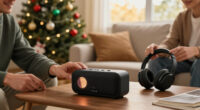
Choose a home electronics gift that matches the recipient’s routines, existing devices, and comfort with technology. This guide is for anyone buying a speaker, headphones, streaming device, smart-home accessory, kitchen gadget, or similar consumer electronics gift, including first-time gift shoppers. Allow 1-3 hours to compare options and order or buy the item, with extra time for shipping. You’ll finish with a suitable gift, the needed accessories, and a plan for delivery, setup, or returns.

Get the little things that make your day delivered free — and shop member deals
- Fast, free delivery on millions of items
- Access to Prime Big Deal Days deals on October 6–7
- Prime Video, Amazon Music and more included

BIGASUO 10.1-Inch Wi-Fi Digital Picture Frame with Frameo
- ✔ Display: 10.1-inch IPS touchscreen
- ✔ Resolution: 1280 × 800 HD
- ✔ Storage: 32 GB built-in; Micro SD expandable

Amazon Echo Show 5 Smart Display, Charcoal
- ✔ Display: 5.5-inch touchscreen
- ✔ Camera: 2 MP with built-in shutter
- ✔ Speaker: 1.75-inch full-range built-in speaker

Amazon Echo Dot (5th Gen) Smart Speaker with Alexa, Charcoal
- ✔ Generation: 5th Gen
- ✔ Driver: 1.6-inch full-range
- ✔ Playback: Mono
Difficulty: Beginner | Time: 1-3 hours of research and shopping, plus shipping time
What You’ll Need
Tools & Materials:
- A phone or computer with internet access
- A written budget and shortlist of gift ideas
- The recipient’s device details or a discreet way to confirm compatibility
- A gift receipt or clear return policy
- Wrapping materials, if wrapping the item yourself
Knowledge:
- A general sense of the recipient’s interests and comfort with technology
- Basic familiarity with the devices or operating systems the recipient uses
Set a spending limit before browsing. Include taxes, shipping, batteries, subscriptions, and any required accessories in that limit. If you cannot check compatibility, choose a gift with a generous return window or a gift card from a retailer that carries suitable products.
BIGASUO 10.1-Inch Wi-Fi Digital Picture Frame with Frameo
For a holiday gift that feels personal from the moment it is set up, the BIGASUO Frameo digital picture frame is our strongest match. Its 10.1-inch IPS touchscreen gives photos more room than the Echo Show 5’s 5.5-inch display, and remote sharing through the Frameo app lets friends or family send photos and videos over Wi-Fi. That makes it particularly appealing for relatives who enjoy seeing family updates but are not likely to manage a complicated smart-home setup themselves.Its purpose is narrower than either Echo device, and that is also its advantage. The frame is dedicated to displaying memories instead of competing with a speaker for music, timers, and voice assistance. It includes 32 GB of storage and accepts a Micro SD card, while slideshow, brightness, auto-rotate, and sleep settings help tailor the display to the room. Compared with the Echo Show 5, it offers a larger photo-focused canvas but not video calls or the same smart-home role. The main practical drawback is that it needs a corded power connection, so it must live near an outlet. Its plastic frame may also feel less substantial than a more decorative home accessory. We would choose it when the gift’s purpose is connection through shared images, not general-purpose electronics.
Pros:
- Large 10.1-inch IPS touchscreen suits shared photo viewing
- Frameo app supports remote photo and video sharing over Wi-Fi
- 32 GB of internal storage with Micro SD card expansion
- Slideshow, auto-rotate, brightness, and sleep settings offer display flexibility
Cons:
- Requires a corded power source and a convenient outlet
- Plastic frame material may look less refined than a decorative frame
- Remote sharing depends on Wi-Fi and smartphone app setup
Best for: Families who want to send photos and short videos to a relative’s display, especially when a personal, regularly refreshed gift matters more than voice assistance.
Not ideal for: Recipients who want a portable device, expect a premium frame finish, or would rather have a speaker, video-call screen, or smart-home controller.
Bottom line: We recommend the BIGASUO when a larger display for family memories makes a more meaningful gift than an all-purpose smart device.
“We recommend the BIGASUO when a larger display for family memories makes a more meaningful gift than an all-purpose smart device.”
Amazon Echo Show 5 Smart Display, Charcoal
The Echo Show 5 is the most adaptable gift in this group for someone who wants a little more than a speaker without needing a large screen. Its 5.5-inch touchscreen can show weather, news, photos, and compatible camera feeds, while its 2 MP camera supports video calls. Alexa and compatible smart-home controls add useful hands-free functions, giving this model broader day-to-day reach than the photo-focused BIGASUO frame.That versatility comes with a size compromise. The Show 5 is compact at 5.8 × 3.6 × 3.2 inches, but its screen is considerably smaller than the frame’s 10.1-inch display; it is better for quick checks and calls than for a room-wide photo presentation. The built-in speaker can handle everyday listening, though recipients who prioritize music may prefer the Echo Dot’s audio-first simplicity. Privacy is a thoughtful part of the gift: the camera has a physical shutter, and a button turns off the camera and microphones. Still, some skills and services may involve subscriptions or additional fees, and the device does not support ad-hoc or peer-to-peer Wi-Fi networks. We rank it first among the Echo options because it combines a screen, camera, speaker, and smart-home controls in one compact device, but it is not the best choice for someone who only wants photos or music.
Pros:
- Compact touchscreen presents weather, news, shows, and photos
- Built-in camera supports video calls and compatible camera viewing
- Controls compatible smart-home devices through Alexa
- Camera shutter and microphone/camera-off button provide privacy controls
Cons:
- 5.5-inch screen is much smaller than the BIGASUO photo frame
- Some skills and services may require subscriptions or additional fees
- Does not support ad-hoc or peer-to-peer Wi-Fi networks
Best for: A recipient who would use video calls, glanceable information, compatible camera viewing, and basic smart-home controls from one bedside or countertop display.
Not ideal for: People who want a large photo display, prefer a dedicated music speaker, avoid Alexa-enabled devices, or need ad-hoc Wi-Fi support.
Bottom line: We pick the Echo Show 5 as the most versatile smart-home gift here, provided the recipient will use its small screen and Alexa features.
“We pick the Echo Show 5 as the most versatile smart-home gift here, provided the recipient will use its small screen and Alexa features.”
Amazon Echo Dot (5th Gen) Smart Speaker with Alexa, Charcoal
When the recipient needs an easy way to play music, audiobooks, and podcasts or set alarms and timers, the Echo Dot (5th Gen) is the most straightforward choice. It skips the screen and camera found on the Echo Show 5, keeping the gift focused on voice assistance and audio in a compact 3.9-inch-wide speaker. Alexa can also run smart-home routines, while motion and indoor temperature sensors add ways to trigger compatible routines without asking the recipient to manage a display.Compared with the Show 5, the Dot is simpler and smaller, but it cannot show photos, display updates, or support video calls. It also offers less of a sentimental centerpiece than the BIGASUO frame. Its eero Built-in feature can extend coverage by up to 1,000 square feet when paired with a compatible eero router, but that condition matters: shoppers should treat it as a bonus, not a reason to buy unless the recipient already has the right network setup. The speaker is mono with a 1.6-inch full-range driver, so we see it as a convenient room speaker rather than a substitute for a dedicated stereo or larger music system. It does not support ad-hoc Wi-Fi networks or Bluetooth PIN-code speakers. For recipients who want hands-free everyday utility in a small package, it is the least demanding gift in the lineup; those who want a screen should move up to the Echo Show 5.
Pros:
- Plays music, audiobooks, and podcasts over Wi-Fi or Bluetooth
- Alexa supports voice assistance, alarms, timers, and smart-home routines
- Motion and indoor temperature sensors can support compatible routines
- Can extend a compatible eero network
Cons:
- Screen-free design cannot show photos, news, or video-call participants
- eero Built-in requires a compatible eero router and linked accounts
- Does not support ad-hoc Wi-Fi networks or Bluetooth PIN-code speakers
Best for: Someone who listens to podcasts or music at home, uses timers and alarms, or wants Alexa routines without adding a touchscreen or camera.
Not ideal for: Recipients who want video calls, visible updates, a large shared photo display, stereo-focused listening, or eero extension without compatible equipment.
Bottom line: We recommend the Echo Dot for a compact, audio-first gift, but choose the Echo Show 5 if the recipient will benefit from a screen and camera.
“We recommend the Echo Dot for a compact, audio-first gift, but choose the Echo Show 5 if the recipient will benefit from a screen and camera.”
As an Amazon Associate we earn from qualifying purchases.
Before You Start
Protect the recipient’s privacy while gathering information. Do not access their accounts, inspect private messages, or connect a smart device to their network without permission. For voice assistants, cameras, doorbells, and other connected devices, think about whether the recipient wants a microphone or camera in their home. Buy from a seller that states the return deadline and any restocking fees, and check whether holiday purchases have an extended return period. Avoid buying a device that depends on a paid subscription unless you have confirmed the recipient is comfortable with that cost.
Step-by-Step Instructions
Step 1: Set the budget and gift deadline
Write down the maximum total you can spend and the date the gift needs to be in hand. Count shipping, tax, batteries, adapters, cables, memory cards, and required subscriptions as part of the total. If you are ordering online, check the seller’s delivery estimate at checkout rather than relying only on a product-page estimate.
Tip: Leave a little room for a required accessory or a price change. For a tight delivery deadline, consider local pickup from a retailer that confirms stock at a nearby store.
Check: You have a spending ceiling and a realistic arrival date before comparing products.
Step 2: Choose a gift category based on the recipient
Pick a category that supports something the recipient already enjoys or has asked for. For example, consider headphones for commuting, a compact speaker for music, a streaming device for a compatible television, a digital photo frame for family pictures, or a kitchen appliance for a hobby they actively pursue. If you do not know their preferences, choose a useful, low-commitment item rather than a specialized gadget that needs regular attention.
Tip: Think about the recipient’s space and habits. A large speaker may not suit a small apartment, and a complicated device may sit unused if they prefer simple controls.
Check: You can name a specific need or routine the gift supports, rather than choosing a device only because it is popular.
Step 3: Check compatibility without spoiling the surprise
Confirm the details the product requires: phone operating system, television ports, Wi-Fi requirements, power outlet, audio connection, or smart-home platform. Use information the recipient has shared, ask a household member who can help, or choose a product that works across common setups. Read the manufacturer’s compatibility list, not just the retailer’s headline description.
Tip: For a streaming device, check the TV’s available HDMI port and whether it has a nearby power source. For smart-home accessories, confirm the required hub, Wi-Fi band, and platform before buying.
Check: The item’s listed requirements match the recipient’s known setup, or you have chosen a return-friendly option where details are uncertain.
Step 4: Compare a short list of products
Compare two or three models in the same category. Check the features the recipient will actually use, the size, controls, accessibility options, battery life where relevant, warranty, and the cost of required extras. Read recent reviews for recurring faults or setup complaints, and check the manufacturer’s support page for current software support and instructions.
Tip: Do not treat a long feature list as proof that a product is better. Prioritize simple operation, reliable support, and a good fit over features the recipient may never use.
Check: You can explain why your chosen model fits the recipient better than the alternatives and identify its key limitations.
Step 5: Confirm the full cost and return terms
Open the seller’s checkout or product terms and verify the final price, delivery date, return deadline, refund method, and condition required for a return. Check whether opened electronics can be returned and whether the manufacturer or retailer handles warranty claims. Add the price of any required cable, charger, battery, mount, or subscription before deciding.
Tip: Keep the order confirmation and gift receipt somewhere you can find them. A gift receipt can make an exchange easier without showing the purchase price.
Check: You know what the gift will cost in total and how the recipient can exchange or return it.
Step 6: Buy from a dependable seller
Order from the manufacturer, an established retailer, or a clearly identified authorized seller. Check that the listing names the exact model and includes the manufacturer’s warranty. Avoid listings with vague specifications, an unclear seller, or a price that seems unusually low. For in-store purchases, inspect the box for damage and confirm the model number before paying.
Tip: If you buy from a marketplace, check who ships the item and who handles returns; a familiar marketplace name does not mean every seller uses the same terms.
Check: Your receipt identifies the seller and exact item, and the order or store purchase has a delivery or pickup confirmation.
Step 7: Check the gift when it arrives
Inspect the outer package and product box for crushing, water damage, broken seals, or signs that the item may have been opened. Confirm the model and color match your order, and make sure included accessories are listed on the box or packing slip. Keep the packaging, receipt, and return information until the recipient has tried the item.
Tip: Do not discard the box or activate a bundled subscription before gifting; either action can complicate an exchange.
Check: The correct, undamaged product and its listed accessories are present, and the return details are saved.
Step 8: Prepare the gift without taking over the recipient’s setup
Decide whether to leave the device sealed or offer setup help. For products that need a personal account, Wi-Fi access, voice profile, or private photos, leave the account setup to the recipient unless they have asked you to help. Add a card that names the product and offers practical help, such as connecting it to a television or transferring photos, without pressuring them to use it.
Tip: Include required accessories only if you have confirmed the exact connector or model. A well-intended but incompatible cable can cause confusion.
Check: The gift is complete, the recipient can identify what it is, and no personal account or home network has been changed without permission.
Common Mistakes to Avoid
- Buying a device that does not work with the recipient’s phone, TV, or smart-home platform. — Check the manufacturer’s compatibility details and the recipient’s relevant device information before ordering; use a return-friendly seller if a detail cannot be confirmed.
- Choosing a product with required fees or accessories that push the total over budget. — Check the full cost, including subscriptions, chargers, batteries, adapters, and shipping, before paying.
- Buying a connected camera or voice device without thinking about privacy. — Choose connected devices only when they suit the recipient’s preferences, and leave account, camera, and microphone settings for them to control.
- Waiting too long to order or throwing away the box and receipt. — Check the delivery date before checkout and keep proof of purchase and packaging until the recipient has tested the item.
Troubleshooting
Problem: The product arrives after the holiday or event.
Solution:
Check the order status and contact the seller if the shipment is delayed. If it will not arrive in time, give a printed note or card explaining the expected delivery date, or choose a confirmed in-stock local alternative. Do not place a duplicate order until you know the first shipment’s cancellation or return status.
Problem: You cannot confirm whether the device will work with the recipient’s setup.
Solution:
Look up the exact model on the manufacturer’s support page and compare its requirements with known device details. If you still cannot confirm, select a simpler product with broad compatibility, ask a trusted household member, or give a retailer gift card instead of guessing.
Problem: The recipient opens the gift and finds that a cable, charger, or other part is missing.
Solution:
Check the box contents against the manufacturer’s included-items list and inspect the packing material. Contact the seller promptly with the order number and photos of the package if an item should have been included. If the part is sold separately, confirm its exact model or connector before purchasing it.
Problem: The gift cannot be returned after it has been opened.
Solution:
Read the seller’s electronics return policy before opening or registering the device. Ask the retailer whether an exchange or manufacturer warranty claim is available, and keep the serial number and proof of purchase. For future gifts, confirm the opened-item policy before checkout.
What Success Looks Like
The gift matches a real interest or need, fits the recipient’s known devices and home setup, stays within your total budget, and arrives in good condition before the gifting date. You have saved the receipt and return terms, included any confirmed essentials, and left private accounts and network setup under the recipient’s control. The recipient should be able to start using the product or follow a clear offer of setup help.
Next Steps
After giving the gift, let the recipient decide when and how to set it up. Offer help with the specific task they want, such as pairing headphones or connecting a streaming device, and follow the manufacturer’s instructions. Keep the receipt available until the return period ends. If the recipient reports a fault, contact the seller or manufacturer with the model and serial number rather than attempting an unapproved repair. For connected products, let the recipient review privacy, microphone, camera, and account settings before regular use.
Frequently Asked Questions
What home electronics make safer gifts when I do not know the recipient’s setup?
Choose a product with broad compatibility and few setup requirements, such as standard wired accessories or a retailer gift card. For anything that connects to a TV, phone, Wi-Fi network, or smart-home system, verify the exact requirements first.
Should I set up an electronic gift before wrapping it?
Usually, leave setup to the recipient when the product needs their account, Wi-Fi password, voice profile, or personal files. You can check that an item is not visibly damaged without signing in or changing settings. Offer setup help in a card if useful.
How can I check whether a smart-home gift will work?
Check the product’s supported platform, required hub, Wi-Fi requirements, app availability, and any subscription fees on the manufacturer’s support page. Match those details to the recipient’s known system. If you cannot verify the match, choose another gift or a gift card.
What should I do if the recipient already owns the same device?
Use the seller’s return or exchange policy and keep the item, box, and accessories in the condition required by that policy. A gift receipt can help the recipient exchange it without disclosing the purchase price. For a future purchase, ask a household member to check discreetly.
Halloween Picks
halloween
As an affiliate, we earn on qualifying purchases.